How to schedule a first comment on your posts
Schedule your post with the first comment so that they are published at the same time. Please note that a comment can only be scheduled with a post, never alone.
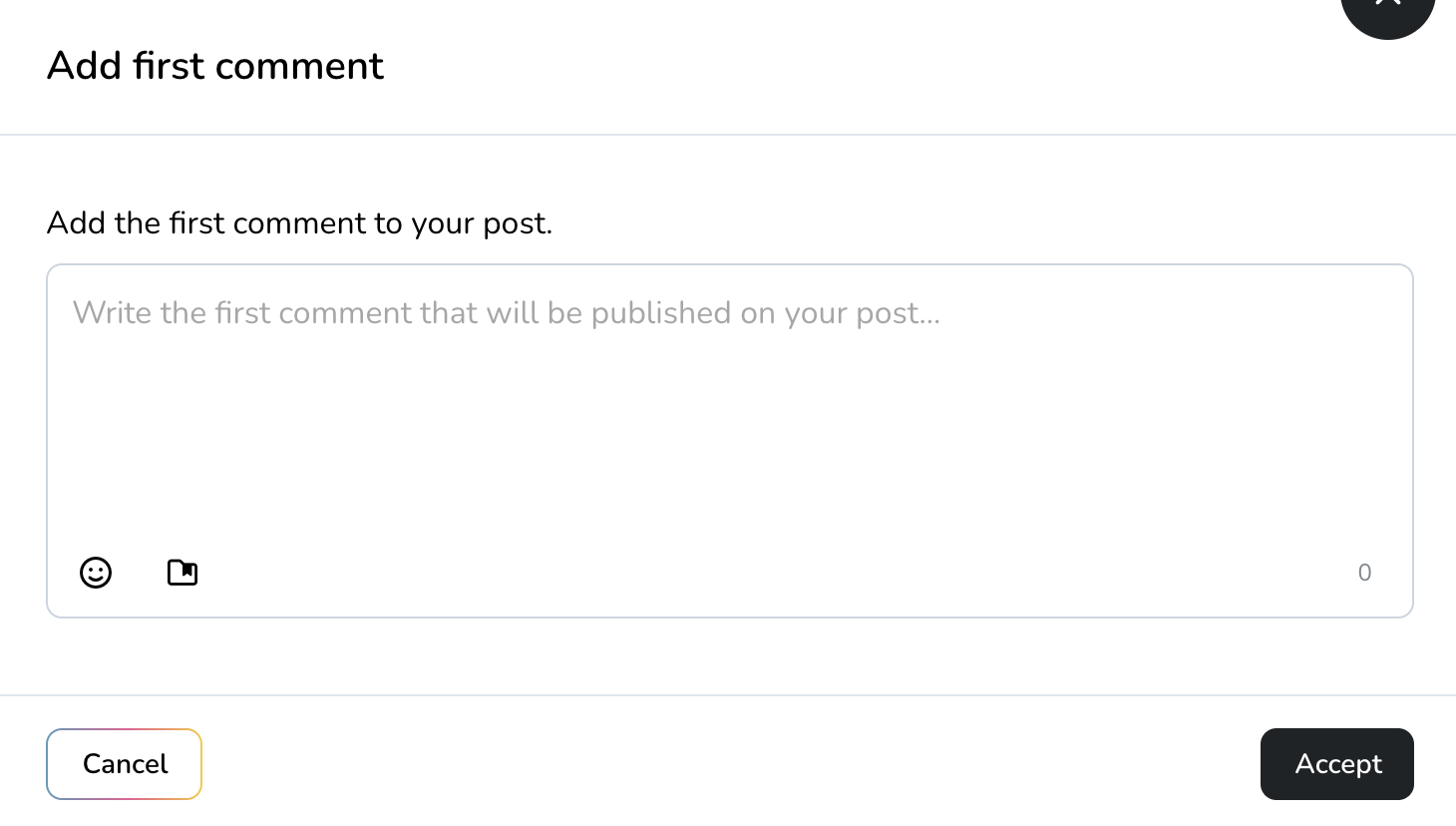
This option is available in the following social networks and formats:
Facebook: Posts & Reels
Instagram: Posts & Reels
LinkedIn
TikTok (Only on professional pages)
YouTube: Videos & Shorts
Remember that even if you schedule a post on multiple social media platforms simultaneously, the first comment will only be posted on the networks and formats listed above.
How to schedule a comment along with your post
Go to the Planner section in the main menu.
Click on Create new post. A new window will open where you can see all the options to create your post.
In the text box, you will see several icons. Click on the message icon.
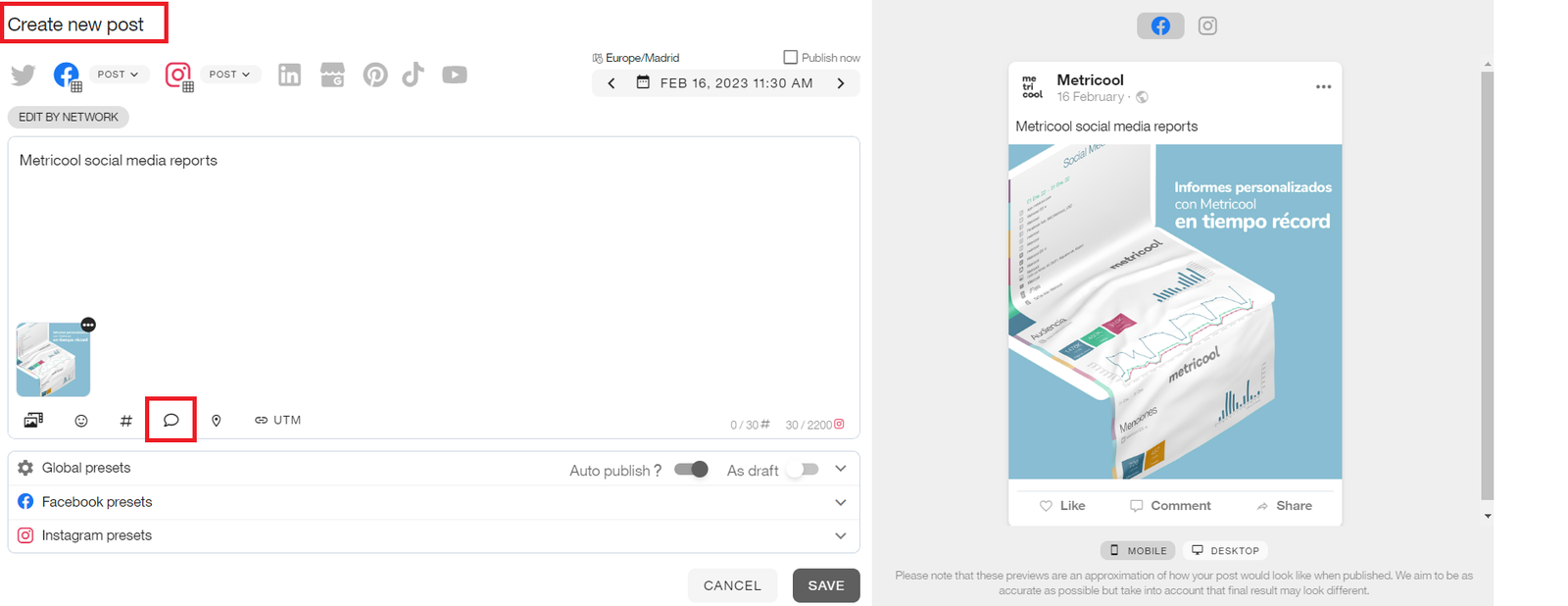
Write your comment. Save, and it's done!
💡Use your saved texts to optimize your comments*
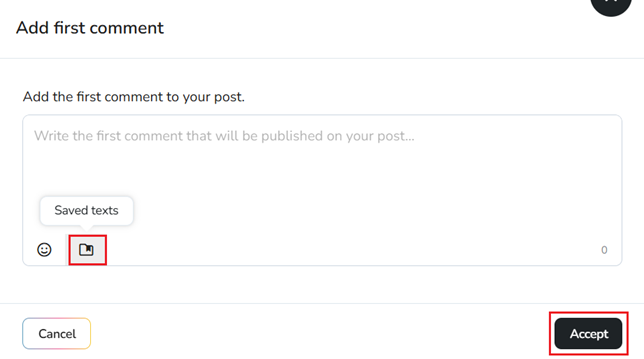
Available in the web and mobile version.