How to Add Alt Text to Your Images Using AI
Alt text helps describe images for people who use screen readers. This article explains how the AI tool generates it and where you can use it.
What is alt text?
Alt text is a description associated with an image.
Its main purpose is to improve accessibility, allowing people who use screen readers to understand the visual content.
On social networks like Instagram, alt text is part of the information associated with the image and may help the network interpret the published content.
AI-generated alt text
The platform can automatically generate alt text for your images using artificial intelligence. The AI analyzes the image and creates a clear description, saving time and helping improve accessibility.
This feature is also available in the mobile app.
Which social networks support this feature?
You can add alt text to images for Instagram, Facebook, Threads, Bluesky, Pinterest, LinkedIn, and X.
How to add alt text
Go to Planning and click Create post or select a time slot in the calendar.
Choose the network you want to post to.
Attach the image from your device, a URL, or the image bank.
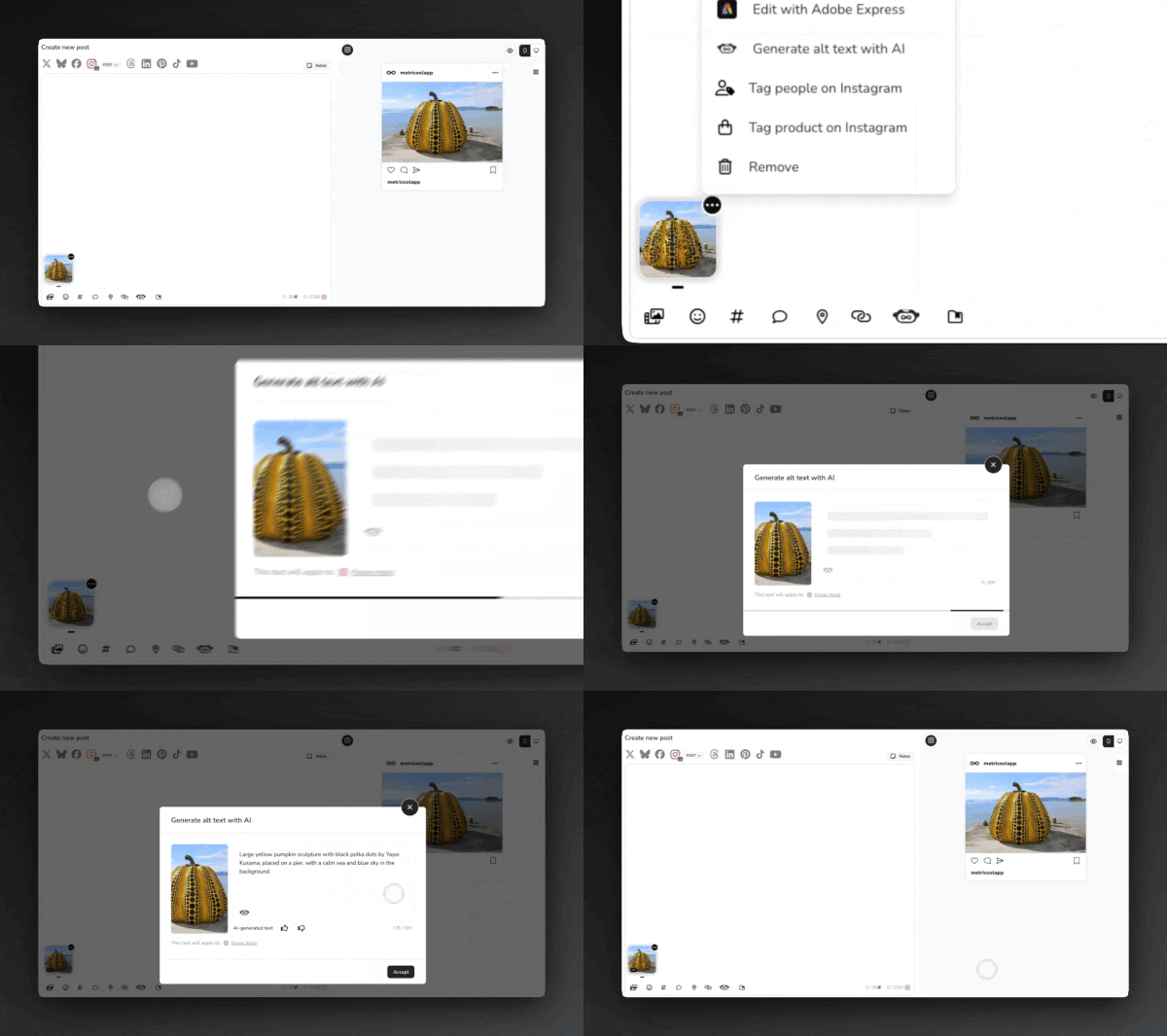
Click the three dots on the image and select Generate alt text with AI.
Review and edit it if needed.
Click Accept.
You will then see Alt on the image thumbnail. You can delete or edit the alt text from the same menu.
Images from the image bank include default alt text.
You can also rate the result with 👍 or 👎. Your feedback helps improve future results.
Need another language?
After generating the alt text, click the robot icon next to the text and select Generate text in another language. Choose the language from the dropdown and click Accept.
FAQs
Can I add alt text manually without using AI?
Right now, you can only generate alt text with AI and then edit it. You cannot add it manually from scratch.
Why can’t I see the alt text on my Instagram or Facebook post?
Alt text is not shown visually on the post. It is used for accessibility and may help with SEO. The ALT label in the preview only shows that the image has alt text assigned.
Does alt text work in carousels, stories, or reels?
You can add alt text to images in reels and to each image in a carousel. Stories do not support alt text.
Can I add alt text from Autolists?
No. You cannot add alt text when scheduling through Autolists.
What happens to alt text if I edit or reschedule?
Alt text stays linked to the image. If you edit a scheduled post, the alt text stays in place.