Why Doesn't Promoted Post Data Appear on Instagram?
Instagram switched from Impressions to Views, and that also affects how promoted data is shown. Full details here: Instagram replaces “Impressions” with “Views”: What you need to know
If promoted post data does not appear on Instagram, the most common cause is that the wrong Meta Ads account is connected.
How promoted post analytics work
Unlike Facebook, where promoted post data automatically appears in organic post analytics, Instagram requires you to connect your Meta Ads account to see that information in the platform.
If you promoted a post on Instagram and do not see the data reflected, check the following.
Make sure the connected Meta Ads account is correct
For promoted data to appear, the connected Meta Ads account must be the same one used to promote the post.
Check that the Meta Ads account ID in the platform matches the account managing the ads.
If they do not match, connect the correct account to sync the promoted data with the organic post.
Check the data inside Instagram
Instagram separates organic and promoted data. Review that split inside Instagram to confirm that the post has promoted stats.
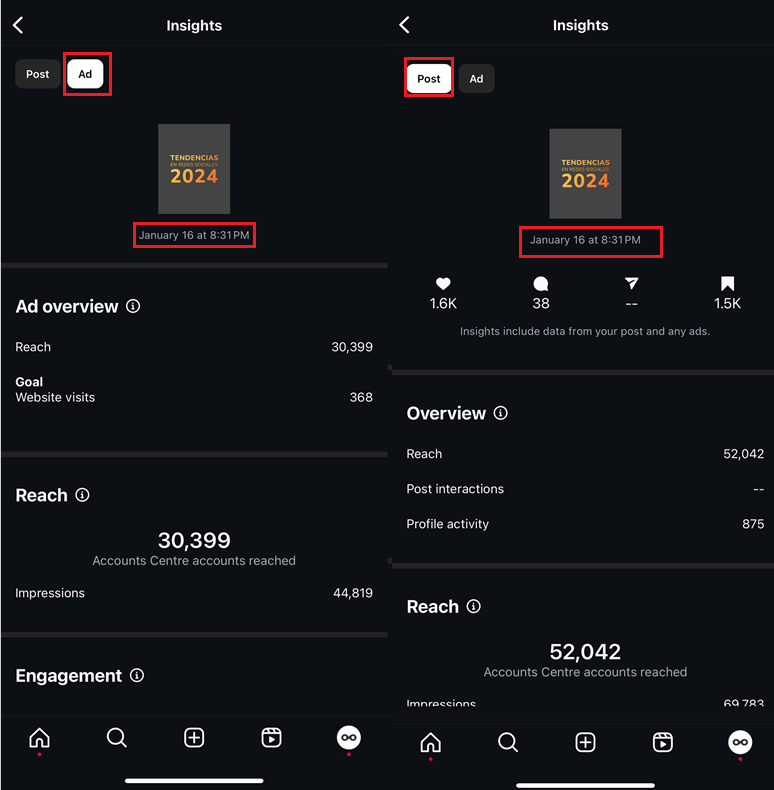
Check whether the post is part of an ad campaign
If you added extra targeting or advanced settings to the promotion, it is no longer treated as a promoted post. It becomes an ad campaign instead.
In that case, promoted data will not appear alongside the organic post in the platform.
To review its performance, check the Meta Ads analytics in the platform.
Promoted Posts vs. Meta Ads: learn the differences in Differences Between Boosted Posts and Ads.