Tag Instagram Products
This article explains how product tagging works on Instagram and what is required before you can tag items in posts or reels.
Product catalog
Your catalog contains information about the items you want to advertise or sell on Facebook and Instagram. Where possible, it is best to keep all your items in one catalog instead of creating multiple catalogs, because you can create product sets and add information for multiple countries and languages.
For more information, refer to Meta’s guide on Tips for using one catalog in Commerce Manager for ads and Shops.
Product tags
💡 Keep in mind that Instagram product tagging limits vary by content type:
Single photo/video: up to 20 tags
Carousel: up to 5 tags per image, maximum 20 total
Reels: up to 30 tags
Stories: not supported
To tag products on Instagram, your Instagram account must be connected through Facebook. A direct Instagram connection does not allow product tagging. You must also have the appropriate permissions. Check how to manage product tagging permissions here.
In the platform, it is possible to tag Instagram products in posts and reels.
When you add products to your Instagram store, they go through a review process. Only approved products can be tagged in Instagram posts.
Products that are not approved will be blocked and cannot be selected for tagging, because they would be rejected when posting on Instagram.
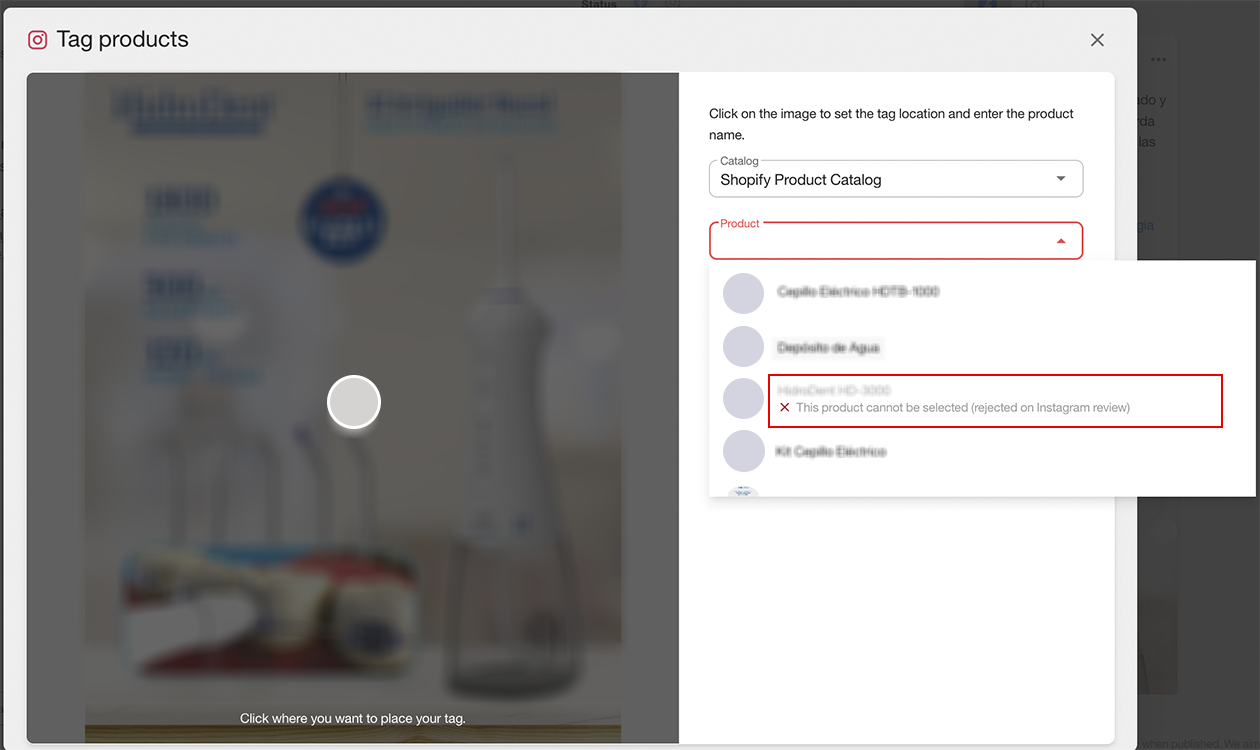
You can check information about the approval process here.
How to tag a product
Open the planner and click Create post.
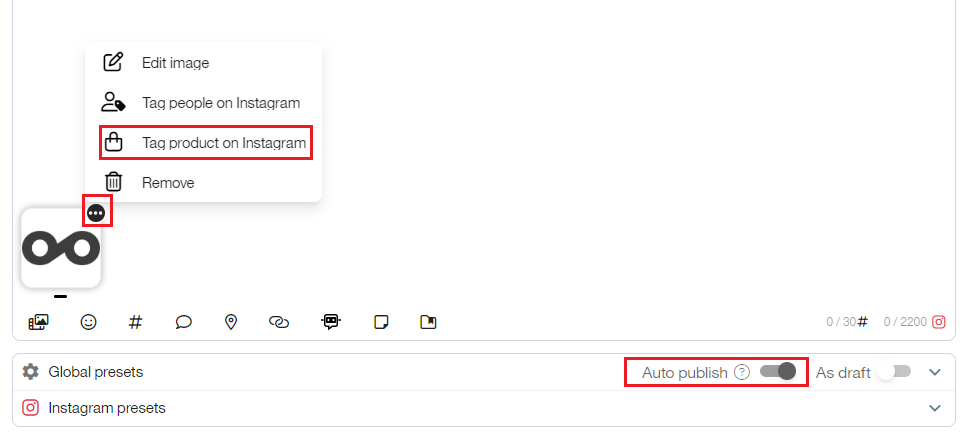
Add the image and click the three dots.
Select Tag products on Instagram in the dropdown menu.
Click the image to place the tag.
Select the catalog and click the magnifying glass, or press Enter, to search for the product.
Select the product and click Save.
💡 Remember that auto-publish must be enabled.
To request a product appeal on Instagram, check the instructions here.