The video fails to publish: what to check
If a video fails to publish, the most common cause is an unsupported bitrate or video format for the social network API.
What to check
Audio bitrate: the recommended value is 128 kbps.
Video bitrate: the recommended range is 5000 kbps to 25000 kbps.
These settings work well across the supported social networks.
Also check these points:
HEVC files are not supported for automatic publishing. Use MP4 instead of MOV when possible. In planning, compatible files are converted to MP4 automatically.
HDR video, especially from iPhone, is not supported for API publishing. Apple explains how to disable HDR here.
How to check the file parameters
You can review bitrate details in the file properties:
Windows: right-click the file, choose Properties, and review the Details tab.
macOS: right-click the file, choose Get Info, and expand the additional details.
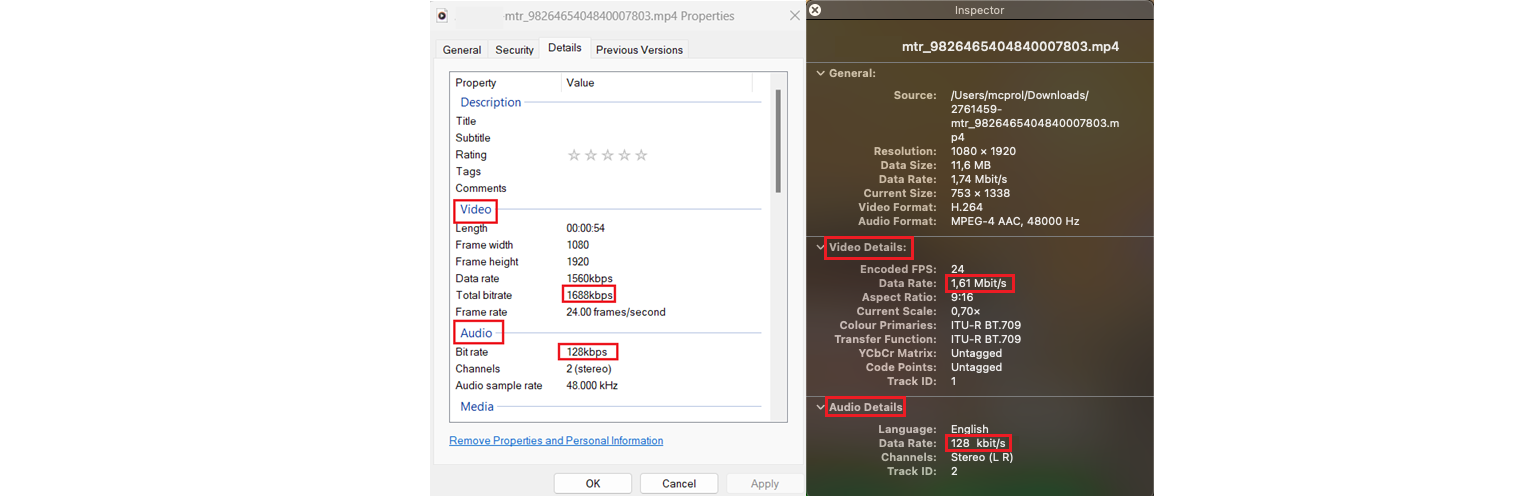
You can use a free online converter to adjust the video settings here.
For full media specifications, see Image and Video Requirements.