Schedule and publish on X (Twitter)
Use the planner to schedule posts on X so they publish exactly when you want.
Use Best Time to Post to choose a stronger slot, and review the media requirements before scheduling.
Key points
Content: create threads with up to 80 posts.
Media: attach up to 4 images, 1 video, or 1 GIF. Mixed formats are not supported.
Character limit: 280 characters, or up to 25,000 with X Premium.
Alt text: supported through the ALT button.
Mentions and tags: type the username and select it from suggestions when available. You can also tag users in images.
Notes
Links always count as 23 characters, regardless of the full URL length.
If you have an X Premium plan, native extended character limits may take about 24 hours to appear in the platform after activation.
How to create a post on X
Go to Planning.
Click + Create new post and select X.
Add your text. You can create threads and mention other accounts.
Optionally upload an image, video, or GIF.
In global settings, you can enable the URL shortener and choose SmartLinks.
In X settings, you can:
Tag users: see Mention and tag other accounts.
Choose who can reply: everyone, only followers, people you follow, only mentioned people, or only verified accounts.
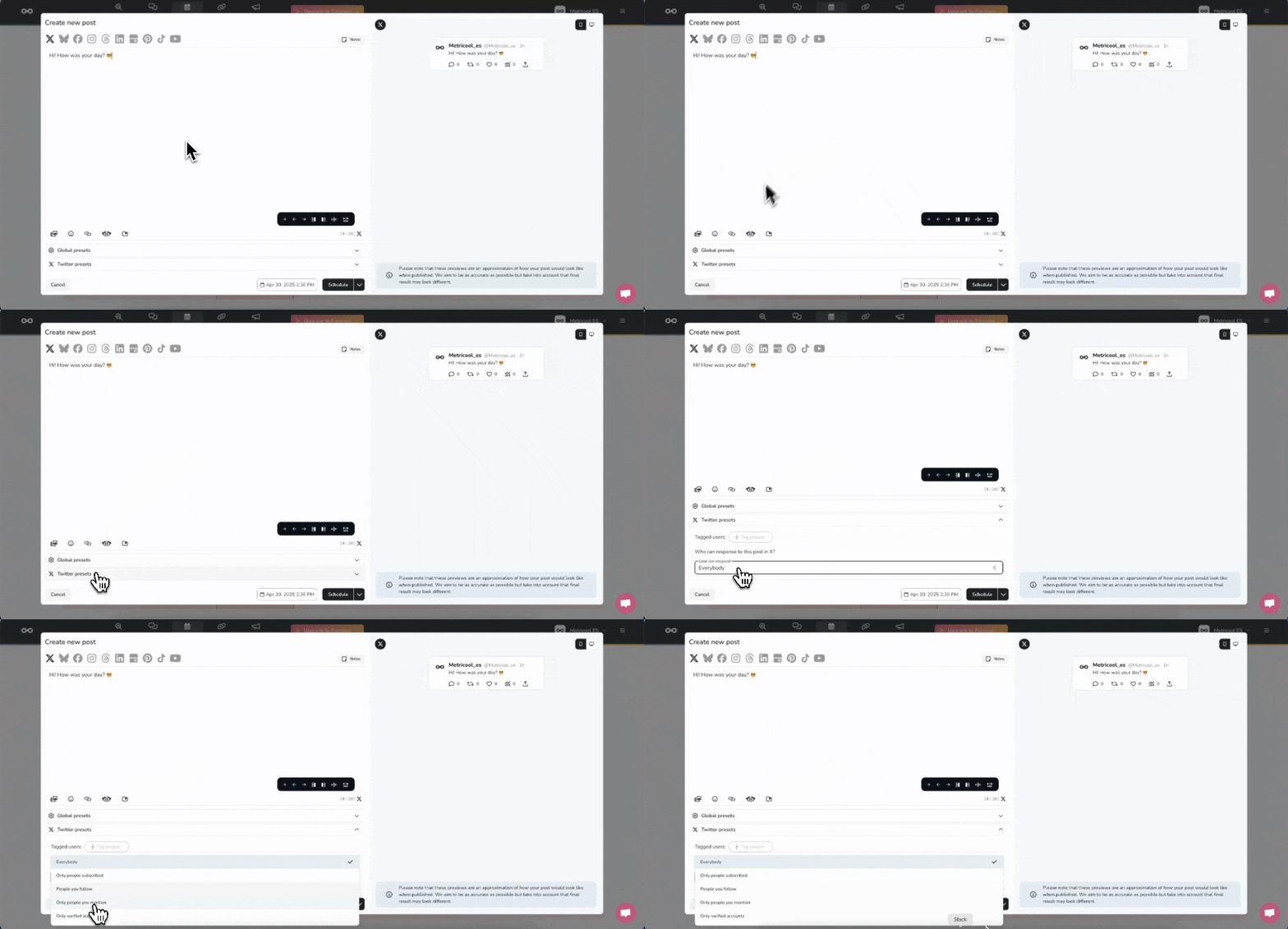
Choose the date and time, then save the post.
Image and video requirements
Image specs
Format: JPG, PNG, or GIF.
Size: up to 5 MB.
Recommended resolution: 1024 × 512 px. Up to 2048 is supported.
Video specs
Format: MP4, MOV, or GIF.
Size: up to 512 MB.
Duration: up to 2 minutes and 20 seconds.
Recommended resolution: 1280 × 720 for horizontal, 720 × 1280 for vertical, or 720 × 720 for square. Up to 2048 is supported.
Recommended aspect ratio: 16:9 or 1:1.
Recommended audio codec: AAC LC.
Recommended video codec: H264 High Profile.
Minimum video bitrate: 5,000 kbps.
Minimum audio bitrate: 128 kbps.
Recommended frame rate: 30 to 60 FPS.
GOP: maximum 512 frames per GOP.
Animated GIF recommendations
Resolution: 1280 × 1080.
Maximum number of frames: 350.
Maximum pixels: 300 million.
File size: up to 15 MB.